
Download Zelda Classic – The Legend of Zelda, classic adventure, retro gaming, game remaster, mobile game, gameplay, adventure game, puzzle game, platformer, game editor, customizable graphics, campaign editor, user-friendly launcher, original gameplay, nostalgic gaming
Overview
Zelda Classic delivers a faithful recreation of the original The Legend of Zelda experience, designed to bring the iconic adventure to modern audiences. This mobile-ready adaptation preserves the core narrative, exploration mechanics, and puzzle-driven challenges that defined the 1986 classic. The app serves as both a nostalgic tribute and an accessible gateway for new players discovering the game’s timeless appeal.
By offering enhanced visual customization and a built-in campaign editor, Zelda Classic expands upon the original while maintaining its authentic charm. It is particularly suited for fans of retro gaming, platformers, and adventure games seeking a polished yet familiar experience. The developer, The Zelda Classic Team, has focused on preserving the original gameplay’s integrity while integrating modern usability features.
Real-world use cases include casual gaming sessions, creative level design, and multiplayer sharing of custom campaigns. Within the broader app ecosystem, Zelda Classic stands out as a niche but dedicated tool for retro enthusiasts and independent game creators alike. The developer did not provide additional technical details about development philosophy or long-term roadmap.
Key Features & Functionality
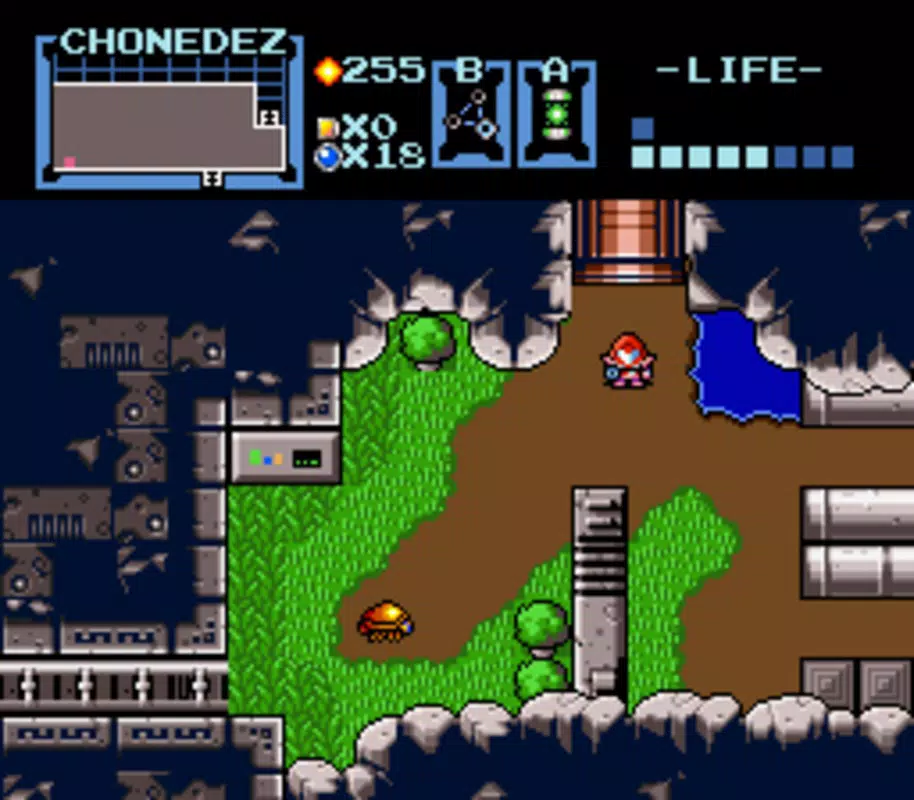
- Enhanced Graphics Options: Players can adjust resolution, choose from different graphic styles, and modify window colors to suit their visual preferences. This flexibility ensures the game remains accessible on various screen sizes and display types.
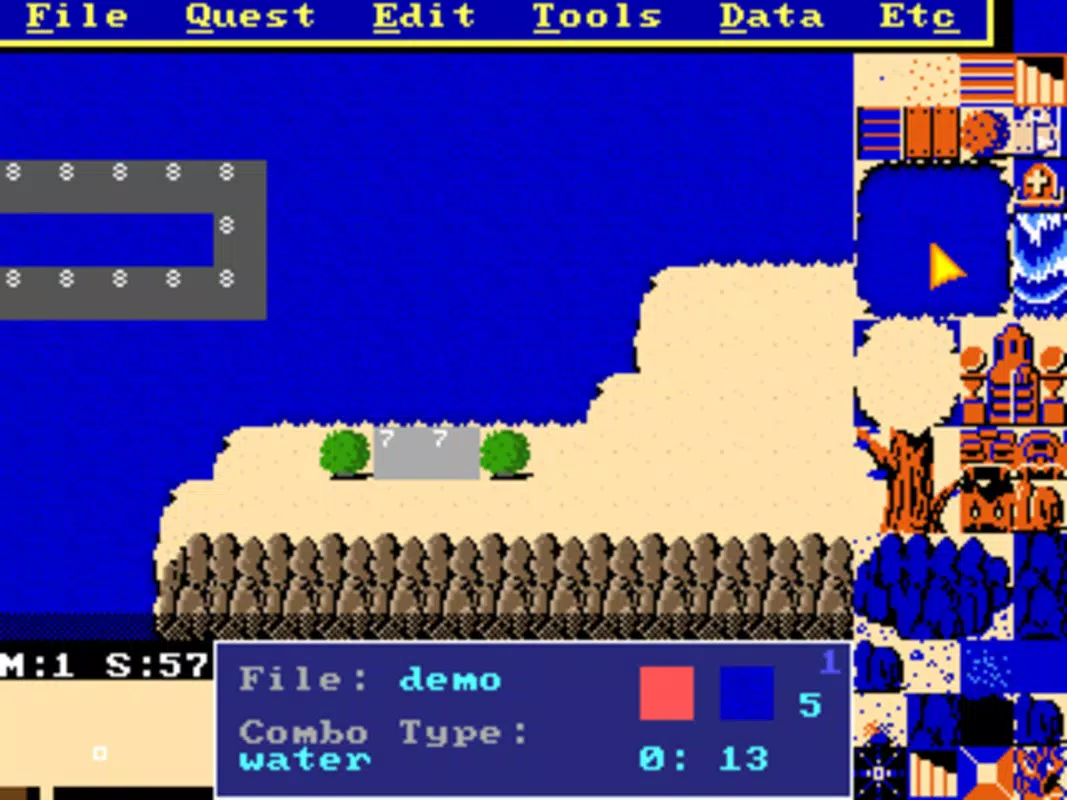
- Map and Campaign Editor: A powerful in-game tool that allows users to design custom levels, alter game mechanics, and create unique story paths. This feature enables deep personalization and community-driven content creation.
- Intuitive Launcher: The included launcher simplifies access to the game’s features. With minimal setup, users can launch the game with a single click, reducing friction for both new and experienced players.
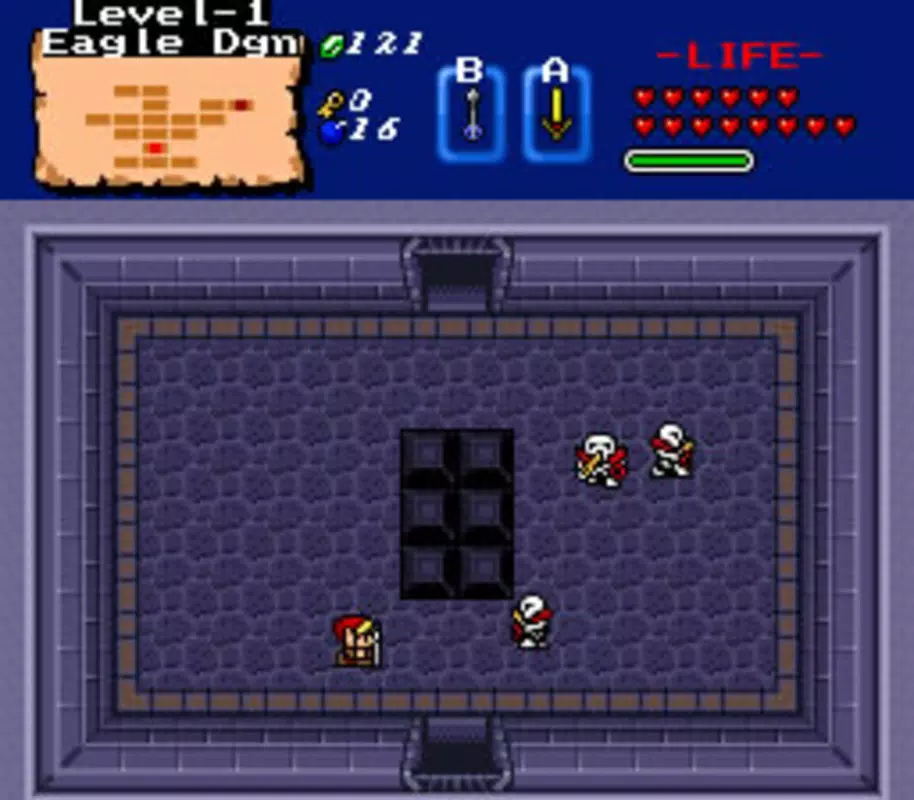
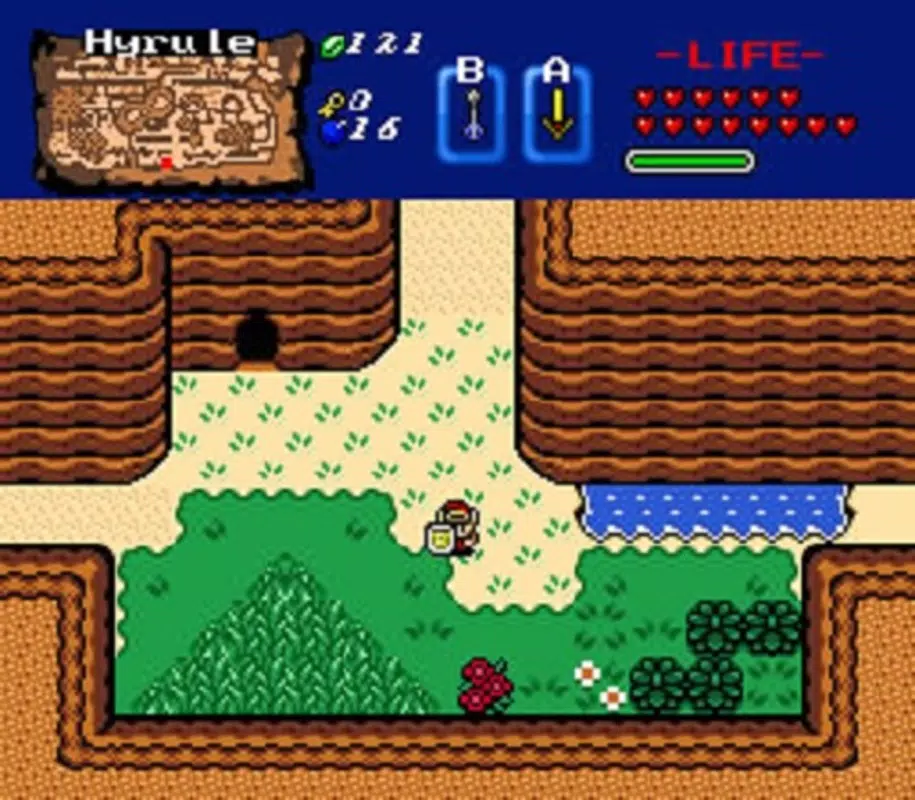
- Iconic Original Gameplay: The app retains the original game’s core mechanics, including dungeon exploration, item collection, and puzzle-solving. This ensures a consistent experience for fans of the classic adventure.
- Accessible to All: Whether you’re revisiting childhood memories or experiencing the game for the first time, Zelda Classic is designed with inclusivity in mind, offering a welcoming entry point into retro gaming.
These features work together to create a dynamic experience. For example, a player might use the campaign editor to build a custom dungeon, then adjust the graphics to match a retro aesthetic before sharing it with friends. The combination of preservation and modernization makes the app a valuable tool for both casual play and creative expression.
Interface, UX & Performance
The interface of Zelda Classic reflects its retro roots with a minimalist, functional layout. The game’s visual style is intentionally simple, focusing on gameplay clarity over modern polish. Navigation is straightforward, relying on keyboard or touch inputs for movement and interaction.
The user experience is optimized for ease of access, particularly through the built-in launcher, which streamlines the process of starting a game session. Although the developer did not list formal performance metrics, the app’s lightweight size of 16.3 MB suggests efficient resource usage. It is expected to run smoothly on a wide range of devices, including older or lower-end systems.
Responsiveness appears consistent across different screen sizes, though compatibility details were not fully disclosed. Stability is likely maintained through regular updates, though specific release notes were not provided. The app does not appear to require high processing power or advanced hardware, making it suitable for extended play sessions without performance degradation.
Platform Compatibility & Technical Requirements
Zelda Classic is available for Windows, making it accessible to desktop users on the most widely used operating system. The current version is 2.1.1, with a file size of 16.3 MB, indicating a compact and lightweight installation. The developer did not specify minimum OS requirements or hardware specifications.
Compatibility information was not fully disclosed, so users should verify system compatibility before installation. The app is free to download and use, removing financial barriers to entry. While no mobile version was mentioned, the game’s design suggests it could be adapted for touch-based platforms with minimal changes.
The absence of official Android or iOS support means users should confirm platform availability through trusted sources.
Pros and Cons
Pros
- Preserves the original gameplay and narrative of The Legend of Zelda.
- Offers customizable graphics for improved visual experience.
- Includes a powerful map and campaign editor for creative content creation.
- Features a user-friendly launcher for easy access.
- Free to download and use, with no in-app purchases.
Cons
- Platform availability is limited to Windows; no official mobile support was listed.
- Specific system requirements were not disclosed.
- Performance on older or low-end devices was not verified.
- Limited visual polish compared to modern games.
- No official support for multiplayer or cloud saves.
FAQ
Is Zelda Classic safe to download?
The app is distributed through official channels associated with The Zelda Classic Team. As a free, open-source project, it is widely used in retro gaming communities. Users should ensure they download from trusted sources to avoid modified or malicious versions.
Can I play Zelda Classic on Android or iOS?
Currently, the app is only available for Windows. The developer did not announce plans for mobile versions. Users seeking a mobile experience may need to explore emulators or alternative adaptations.
How do I install Zelda Classic?
Download the installer from the official website, run the executable, and follow the on-screen instructions. The user-friendly launcher simplifies the setup process, requiring minimal technical knowledge.
Are there updates for Zelda Classic?
Yes, the app has received updates since its release in 2020, with version 2.1.1 being the latest. The developer maintains the project with occasional improvements and bug fixes.
Can I share my custom campaigns?
Yes, the built-in campaign editor allows users to create and export custom levels. These can be shared with others through community forums or file-sharing platforms.
Final Thoughts
Zelda Classic stands as a thoughtful homage to one of gaming’s most influential titles. It successfully balances authenticity with modern enhancements, offering a streamlined experience for both veterans and newcomers. The inclusion of a customizable editor and user-friendly launcher elevates it beyond a simple remaster, positioning it as a creative tool within the retro gaming space.
While its Windows-only availability limits cross-platform access, its lightweight design and free pricing make it an accessible choice for desktop users. For fans of classic adventure games, puzzle-solving, and nostalgic gaming, this app delivers genuine value. Its blend of original gameplay and user-driven content ensures lasting engagement.
Download Zelda Classic now.


